SEM Insider · Bidding & Budget
Maximize Conversions vs Target CPA: When to Switch and How to Set the Target
A practical guide to choosing between the two most common conversion bid strategies, with switching thresholds and a safe method for setting your first target.
Updated September 22, 2026 · 8 min read
In this guide
How the two strategies differ
Both are Smart Bidding strategies that set bids at auction time using conversion data. The difference is what they optimize toward.
Maximize Conversions
Tries to get as many conversions as possible within your daily budget. It aims to spend the full budget. An optional target CPA can be added in the same strategy.
Target CPA
Tries to get as many conversions as possible at or near the average cost per conversion you set. Spend depends on how many auctions meet the target.
In current Google Ads, Target CPA is set as Maximize Conversions with a target CPA applied. The underlying choice is the same: let the budget define spend, or let a cost target define it.
| Factor | Maximize Conversions (no target) | Maximize Conversions + Target CPA |
|---|---|---|
| What controls spend | Daily budget | Target CPA, capped by budget |
| Typical spend pattern | Uses the full budget | May underspend if the target is tight |
| CPA control | None, CPA can rise | Aims for the target on average |
| Best for | New conversion campaigns, fixed budgets | Stable campaigns with a known CPA |
| Main risk | Paying too much per conversion | Losing volume if the target is too low |
When to use each one
| Situation | Recommended strategy |
|---|---|
| Campaign has conversion tracking but little history | Maximize Conversions |
| Budget is fixed and must be spent (for example, a monthly client budget) | Maximize Conversions |
| CPA has been stable for several weeks and you know your break-even | Target CPA |
| Budget is often limited and CPA is creeping up | Target CPA |
| Conversion values differ widely between leads or orders | Consider Maximize Conversion Value or Target ROAS instead |
Budget-limited campaigns after August 17, 2026
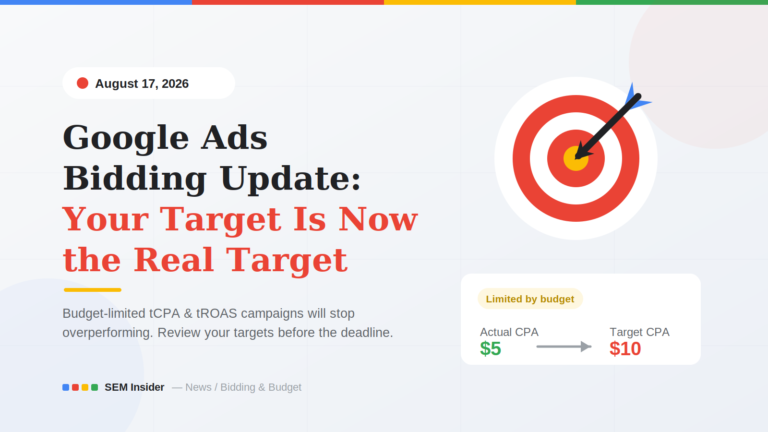
Since August 17, 2026, budget-limited campaigns using a target CPA are optimized toward the target you set, not below it. A stale target that the campaign used to beat now becomes the CPA you get. Review targets against recent performance before and after switching. See our breakdown of the August 17 change.
Readiness thresholds before switching
There is no single number that guarantees success, but these thresholds reflect common practice and Google’s own guidance on having enough conversion history.
| Signal | Minimum before adding a target CPA |
|---|---|
| Conversions in the last 30 days | 30 or more in the campaign (15 is a workable floor for smaller accounts) |
| Time on current strategy | At least 2–4 weeks after the learning period |
| CPA stability | Weekly CPA within roughly 20% of the 30-day average |
| Conversion tracking | No recent changes to conversion actions or counting settings |
| Conversion lag | Known and accounted for (for example, leads that convert days later) |
Primary conversions only
Smart Bidding optimizes toward conversion actions set as Primary and included in the Conversions column. If page views or micro-actions are marked as primary, the CPA you see is not a real cost per lead or sale.
How to set your first target CPA
Setting the target too low is the most common reason Target CPA underspends and loses volume. Start from what the campaign is already achieving, not from the CPA you wish you had.
Pull the last 30 days of CPA
Use the campaign’s actual cost per conversion, excluding any days with tracking issues.
Check for conversion lag
If conversions arrive days after the click, the most recent week understates results. Exclude the last few days or use a longer window.
Set the first target at or slightly above actual CPA
A target 0–10% above the recent average lets the strategy keep volume while it adjusts.
Lower in small steps
Once performance is stable for two weeks, reduce the target by 10–15% at a time. Large drops often cut volume sharply.
| Recent 30-day CPA | First target | Next step after 2 stable weeks |
|---|---|---|
| $40 | $40–$44 | $36–$38 |
| $85 | $85–$93 | $75–$80 |
| $150 | $150–$165 | $130–$140 |
How to switch step by step
Confirm tracking is stable
Review conversion actions, primary/secondary settings and recent diagnostics before changing strategy.
Pick a quiet period
Avoid switching right before a sale, seasonal peak or large budget change. Each of these distorts learning.
Add the target CPA
In campaign settings, keep Maximize Conversions and enable the target CPA field. Enter the target from the method above.
Keep the budget unchanged
Changing budget and bid strategy together makes it hard to see which change caused what.
Annotate the change
Record the date and target in your change log or client report so you can measure before and after fairly.
What to watch after the switch
Google Ads shows a bid strategy status of Learning after a significant change. Performance can fluctuate during this period, which typically lasts about a week but can take longer for low-volume campaigns or long conversion cycles.
| Metric | What to look for | Action if it goes wrong |
|---|---|---|
| Spend | Large drop versus budget | Raise the target 10–15% |
| Conversions | Falling week over week after learning | Check impression share lost to rank; raise the target |
| CPA | Well above target after 2–3 weeks | Check search terms, tracking and landing page before tightening |
| Search impression share | Sharp decline | The target may be too restrictive for the auction |
Give it time
Judge a new target on at least two weeks of data after learning ends, or longer if your conversion lag is several days. Changing the target every few days restarts the cycle.
Pre-switch checklist
Before adding a target CPA
- ☑30+ conversions in the campaign in the last 30 days (15 minimum for small accounts)
- ☑Only real business outcomes set as primary conversions
- ☑No conversion tracking changes in the last 2 weeks
- ☑Weekly CPA reasonably stable
- ☑Conversion lag measured
- ☑First target set at or slightly above the 30-day CPA
- ☑Budget left unchanged at the time of the switch
- ☑Change date recorded for reporting
Frequently asked questions
Is Target CPA better than Maximize Conversions?
Neither is better in general. Maximize Conversions suits new campaigns and fixed budgets. Target CPA suits campaigns with stable conversion history where cost per conversion matters more than spending the full budget.
How many conversions do I need for Target CPA?
A common threshold is 30 conversions in the last 30 days at campaign level. Smaller accounts can work from around 15, but results tend to be less stable.
Why is my Target CPA campaign not spending?
The target is usually too low for the auctions available. Raise it by 10–15% and give it one to two weeks. Also check whether the campaign is losing impression share because of ad rank.
How long does the learning period last?
Usually around a week, but it can be longer when conversion volume is low or when conversions take days to report.
Can I use Target CPA with a small budget?
Yes, if the campaign has enough conversion history. With a small budget, make sure the daily budget is several times the target CPA so the strategy can bid effectively.